-
Steps
-
Make sure you have 2FA enabled on your gmail account
-
For this method to work, you need to have two factor authentification enabled for your Google account. If it’s not, follow the link below and set it up.
-
-
-
Create an App Password
-
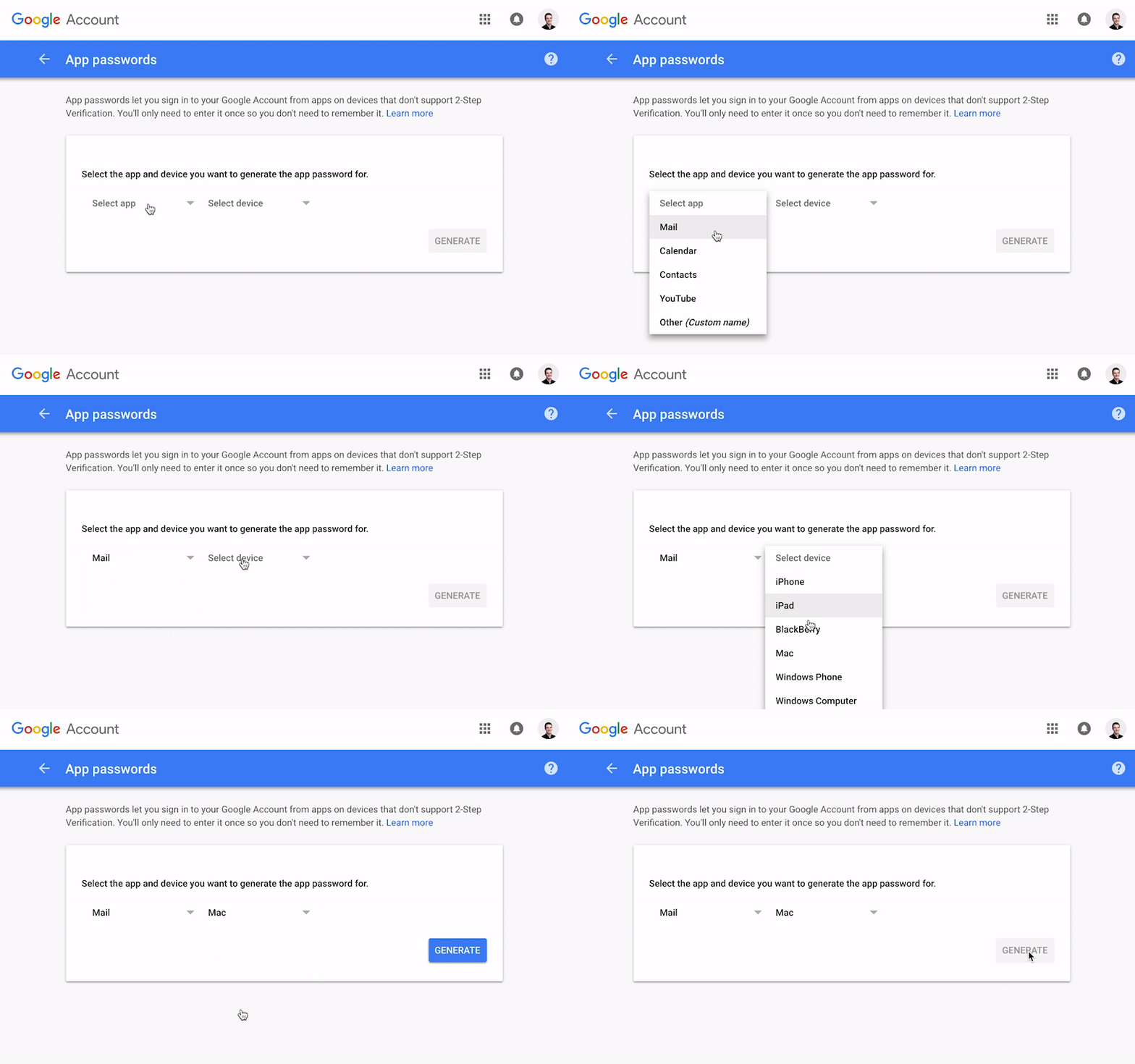
Google will verify your ownership with this app password. Select “Mail” under app, and “Mac” under device. Hit “Generate”. Copy and keep for later!
-
-
Add your email to Gmail
-
Go to Gmail -> Settings -> Accounts and Import. Then, select “Add another email address you own” under Aliases.
-
-
-
Fill in your sender’s information
-
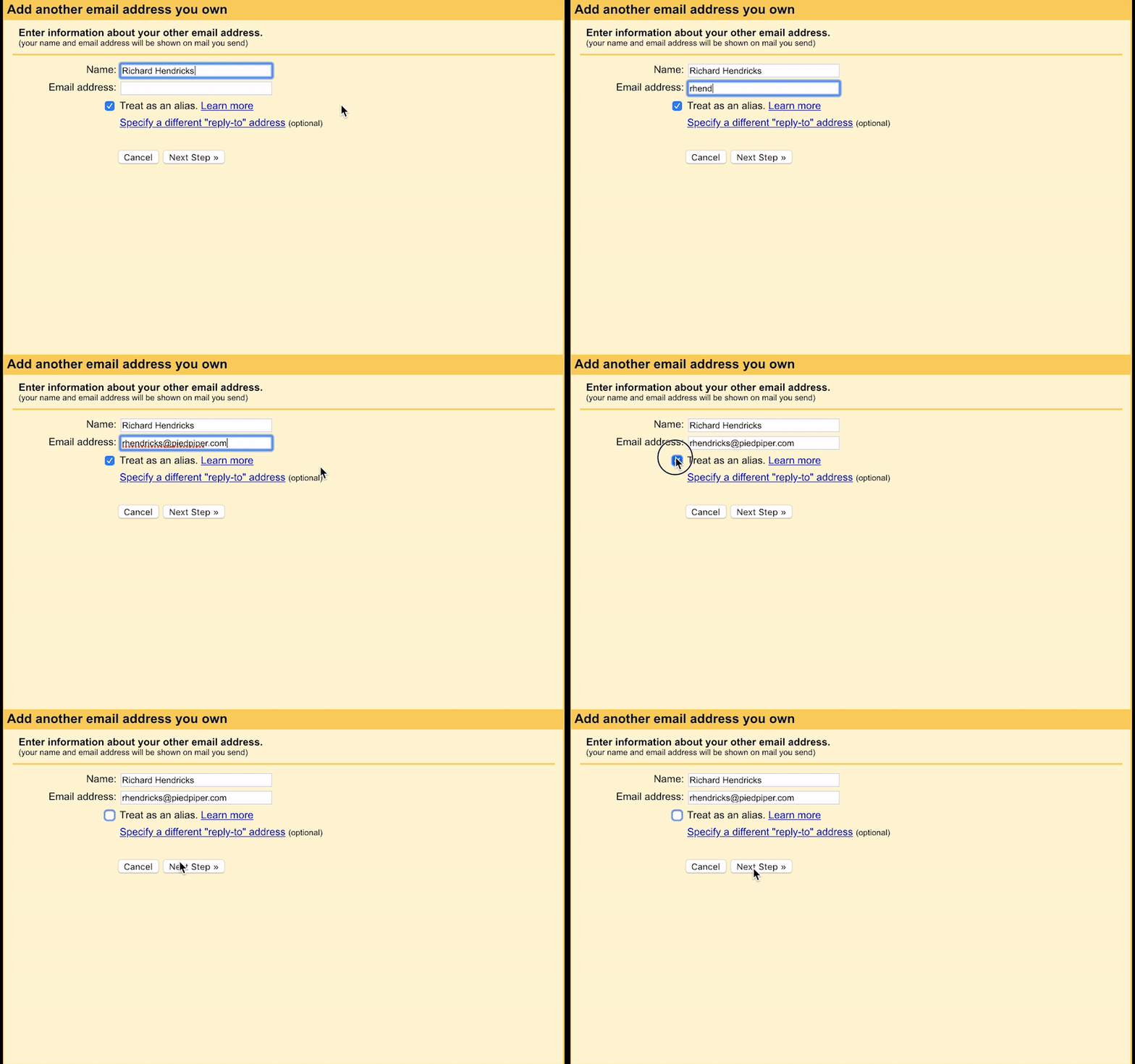
Set your forwarded email (your alias) and your sender’s name. Untick “treat as an alias”.
-
-
-
Fill in your email information
-
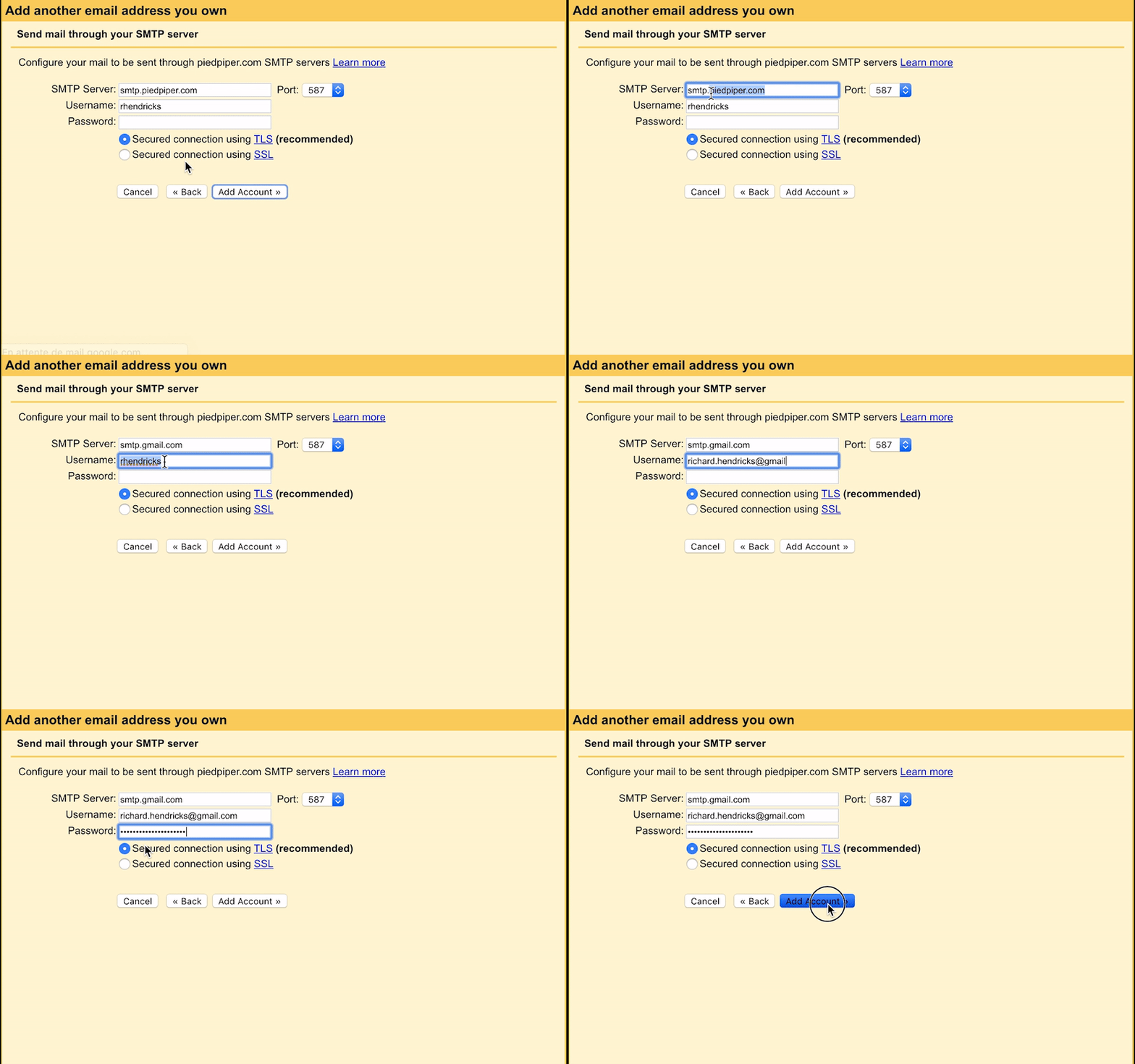
SMTP is smtp.gmail.com, port is right already.
-
Username is your gmail address (incl. @gmail.com)
-
Password is the password you generated on Step 2.
-
Leave TLS enabled as is
-
-
Confirm ownership
-
You will receive an email from GMail asking you to confirm ownership with a code. Fill in the code in the popup modal, and you are all set!
-
-
Send emails from your alias
-
Now you can just select your alias in the list when you compose a new message.
-
-

Tony Ennis